“Where do we park?”
Send one link with directions, parking and arrival instructions before guests set off.
Digital guest guides for hosts
I turn your notes and photos into a guide guests can open by link or QR code, with directions, house instructions and local tips.
For Airbnbs, holiday apartments and small hotels
The guest experience
Give guests somewhere to look first, and make it easy to reach you when they need help.
Send one link with directions, parking and arrival instructions before guests set off.
Leave a QR card where guests can see it. They can find Wi-Fi, heating and house instructions on their phone.
Point guests to the places you’d actually recommend, with directions and ideas for when it rains.
A real example · Waterford
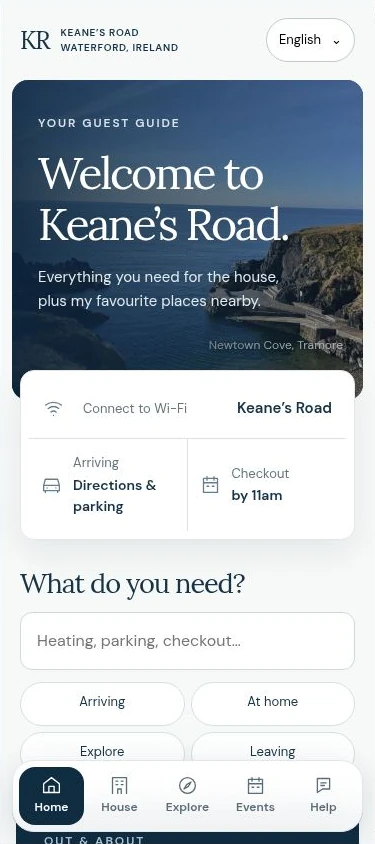
Keane’s Road is our family’s holiday property. I built its guide around the things guests need during a real stay, from opening directions to finding something to do on a rainy day.
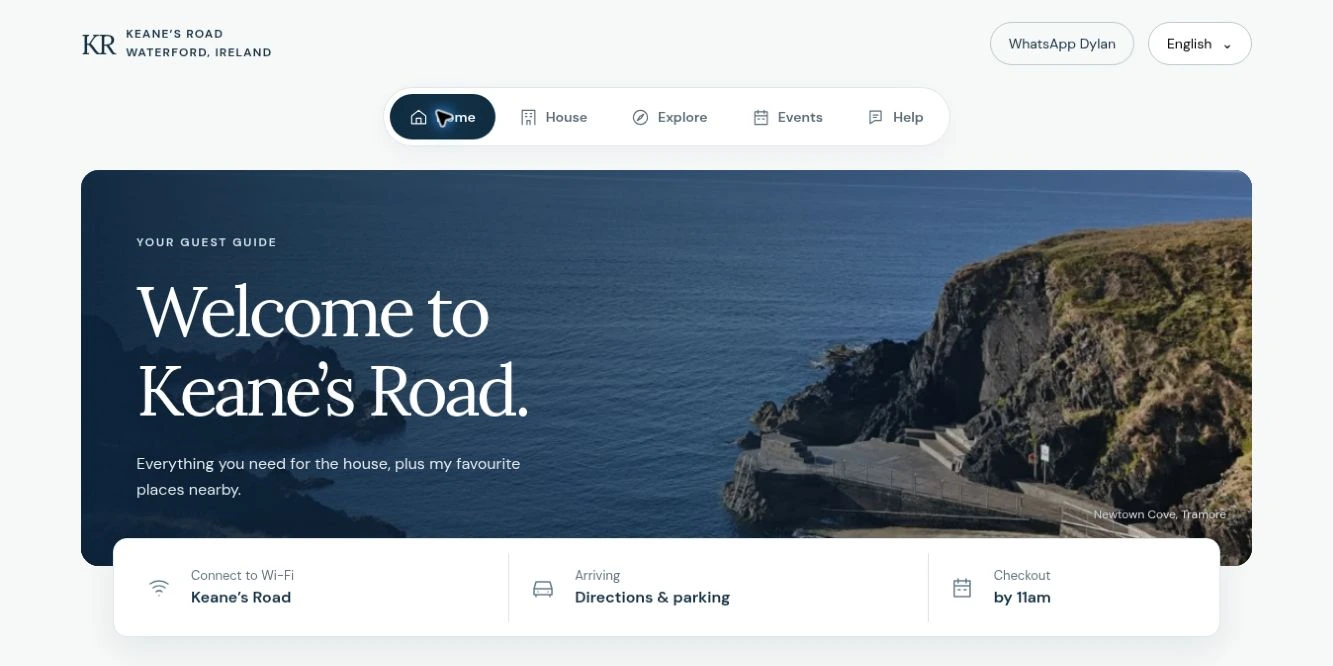
From the real Keane’s Road guide
Guests can open directions, find Wi-Fi and see checkout time from the home screen.
Try arrival in the live guideBuilt for your property
Your welcome, your photos and your recommendations, organised so guests can find what they need.
How it works
A listing link, photos, your welcome message or the notes in your printed folder are enough to start.
I organise the information, write the guide and design it around your property. You check the details before guests see it.
Send the link with your arrival message and print the QR card for the property. Guests can return to the same guide during their stay.
Before you decide
No. The guide opens in their browser. They can use the link you send them or scan the QR card at the property.
Yes. Send whatever you already use, including a printed folder, PDF or booking messages. I’ll help turn it into something guests can find their way around on a phone.
Yes. The photos, wording and design are built around your place. We’ll agree which information guests need and which details you want to keep in your usual private messages.
Yes. We can plan one guide for shared information, or separate guides when units have different instructions. We’ll work out what makes sense before I quote.
We’ll agree how updates are handled and who makes them. Hosting and any ongoing help are set out separately from the initial build.
Tell me a little about your property and what you’d like guests to find in the guide. I’ll quote for the agreed build and explain any ongoing costs before you decide.
Your property
Send me a listing link if you have one, and tell me what you’d like guests to find more easily. I’ll help you work out what belongs in your guide.